AI in SPY
We are building AI into SPY and already use it ourselves in support and development. Here you can see six things we are working on, and which of them come first. And one thing you can already use today.
Spy Studio
Model photos without a photographer
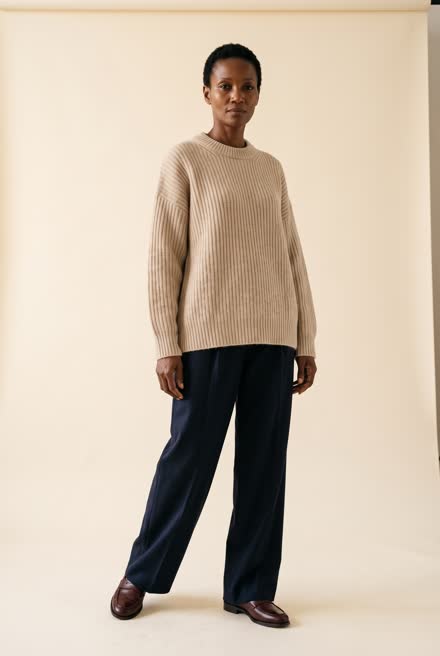
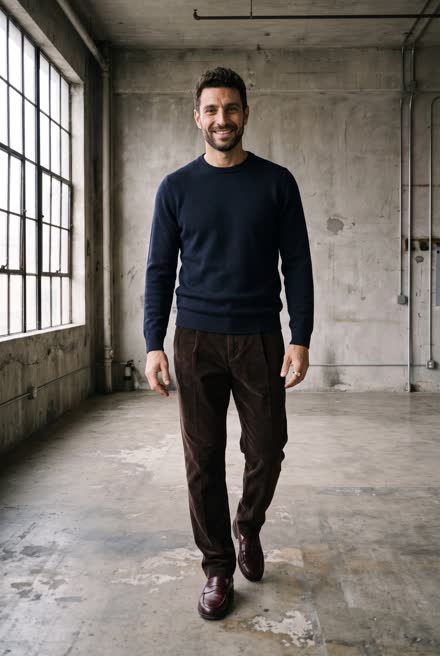
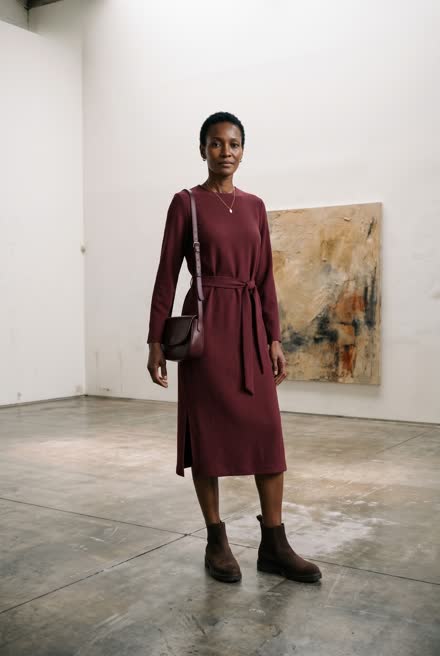
Spy Studio makes model photos of your styles from the packshots you already have. You create your own models and scenes once and use them again, so the photos have the same look every time. After that you choose the model and the scene for each look, and Studio takes the photos.
1. Create your models
Describe the model with name, gender, age and measurements. Studio suggests four candidates, you choose one, and Studio makes three reference photos for you to approve.
1Describe the model
2Choose one of four candidates
3Approve the reference photos
And a man: the same three steps, with chest instead of bust and bra size
2. Create your scenes
Describe the place, here a house on the North Jutland coast. Studio makes the first background when you save, and you can make more and drop the ones you do not want. The scene can be used for all your styles.
3. From packshot to model photo
Tick the colours you want to shoot and choose the model and the scene. Studio makes the photos from your packshots, and you approve them before they are published to SPY.
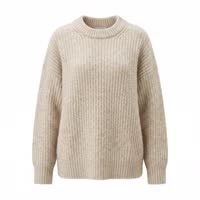
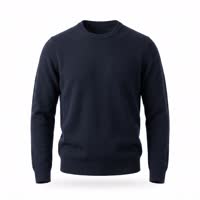
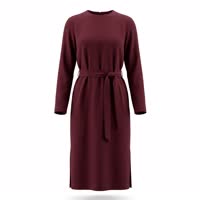
A packshot in a new colour
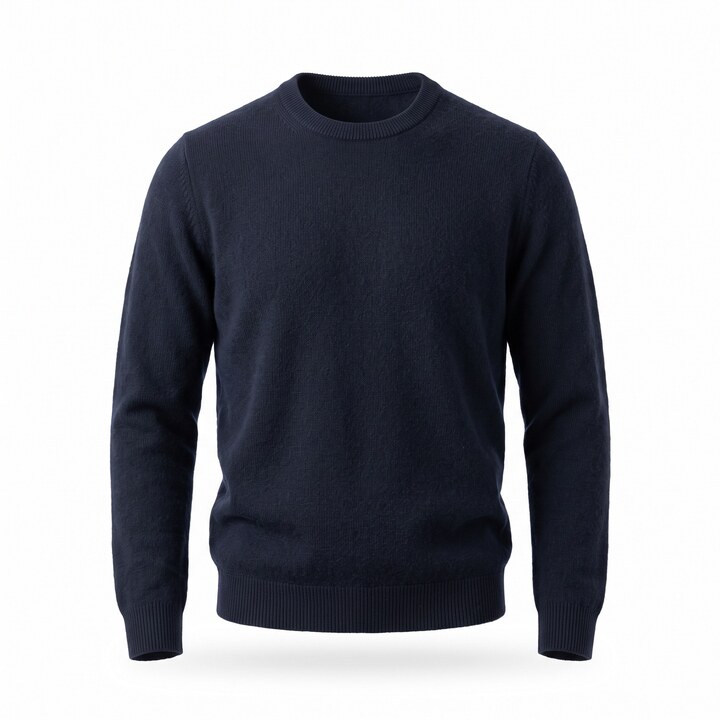
For NOOS and repeat styles in a new colour that you have no photo of yet. Studio recolours the packshot of another colour of the same style using the new colour's Pantone code, or you set the colour yourself.
 Recoloured
Make packshotfrom Navy · Pantone
Group photos
Two or three models in the same photo, each in their own look.

Video
An approved photo becomes a short clip where the models move.
 6-second clip
From drawing and fabric to packshot
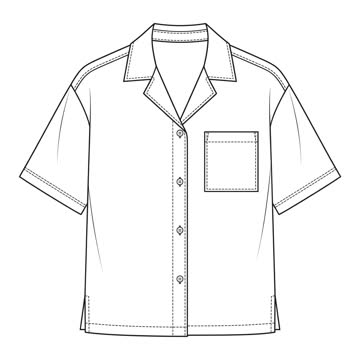
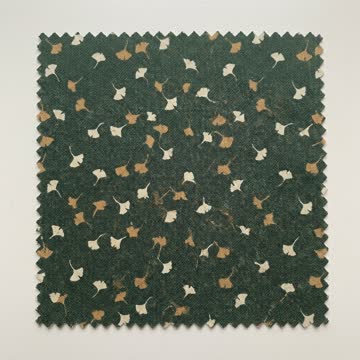
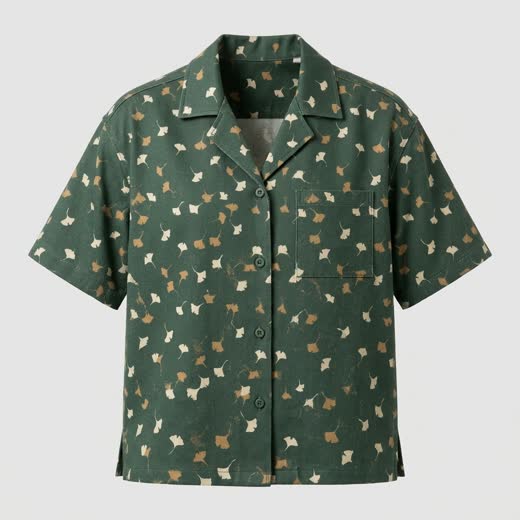
From a technical drawing and a fabric swatch, Studio makes a packshot before the first sample is sewn.
Ask SPY
Ask instead of searching
Ask SPY will be a chat at the bottom right of SPY for the users who get access. You choose from nine languages. SPY terms such as Stock and Available stay in English, as in the rest of SPY.
Ask a question
Stock figures, orders, customers and where to find a feature. The answer links to the right page in SPY.
| Navy | S | M | L | XL |
|---|---|---|---|---|
| Stock | 31 | 68 | 57 | 28 |
| Available | 20 | 46 | 38 | 18 |
| PO Available | 8 | 14 | 12 | 6 |
Make changes from the chat
For example the ETA on a purchase order, a discount on an order or a customer's e-mail. Ask SPY shows before and after and asks when there is a choice. Nothing changes until you confirm.
☑ Also change the ETA on all 14 styles on the order
ConfirmGive a discount on an order
Write what you want to change. Ask SPY finds the order and shows what the discount means, and you confirm before it is applied.
Spy BI & Reports
Ask for a report and have it built for you
Write what you want to know, and the AI agent finds the figures in your own system and builds the report. You can make your very own reports or start from one of the standard ones, for example Boardmeeting, Stock and Consignment Performance. Here are two of them. If you want the report done differently, just say so in the chat, for example "split by country", and you get a new version. Everything is saved in History.
Management report
Revenue, gross profit and Order Intake against last year and year to date, split by brand, country and season. Plus stock and stock age, new and lost customers, open purchases and goods in transit, and how your customers pay.
Boardmeeting · October
Consignment Performance
For each store: what to restock per size, what to consider taking back and what to clarify first. The report also suggests styles and colours the store does not have but that sell in the same country. You get a work list and a store sheet to print. The report only makes suggestions.
Consignment Performance
- Store North▲ 14 Restock▼ 3 Consider return? 2 Clarify first+ 3 Opportunities
- Store Harbour▲ 4 Restock▼ 33 Consider return? 7 Clarify first
- Store Square▲ 9 Restock▼ 6 Consider return? 1 Clarify first+ 2 Opportunities
Scheduled reports. Have a report run automatically, for example every Monday at 8:00 or on the 1st of the month, and it will be ready in History.
Smart Purchase
Suggestions for how much to buy
Smart Purchase learns from your own sales history and your pre-orders and suggests quantities per style and colour. It covers seasonal buying, NOOS and topping up colours that sell fast.
From suggestion to purchase order
You see the suggestion and the reason, change the quantity and approve. Smart Purchase creates a temporary purchase order, and nothing is ordered from the supplier automatically.
| Style | Pre-order | Proposal | Qty |
|---|---|---|---|
| Oslo Shirt · Navy120 short + 320 extra (usually sells 1.8 x) | 400 | 440 | 440 |
| Oslo Shirt · Sand60 short + 150 extra (usually sells 1.6 x) | 250 | 210 | |
| Bergen Knit · Green240 extra (usually sells 1.8 x) | 300 | 240 | 240 |
At this point in the sell-in, the brand usually ends up selling 1.8 times the pre-orders for this type, so Smart Purchase suggests 320 extra.
SPY in your own AI
Give Claude, ChatGPT or Codex access to SPY
Many of you already use Claude or ChatGPT every day. With a SPY connection (MCP, an open standard for AI tools) your own AI can fetch your figures directly from SPY, so you no longer have to export files and copy data back and forth.
Ask about your SPY figures
Your AI gets read access to your BI data in SPY. You ask as you would ask a colleague and get the answer as text and a small table.
| Style | Qty | Invoiced |
|---|---|---|
| Oslo Shirt | 1,420 | 412,000 |
| Bergen Knit | 980 | 395,000 |
| Aalborg Coat | 310 | 372,000 |
Let your AI make changes in SPY
Later, your AI will also be able to make changes in SPY, with the same permissions as the user.
SPY reads your mail
Suggestions based on your emails
We are working on giving SPY access to a user's mailbox. SPY reads the emails about your orders and customers and suggests what to change or send. SPY suggests, and you decide.
The buyer's mailbox
When a supplier writes that an order is delayed, SPY suggests changing ETD and ETA on the purchase order, or adding the shipping details.
PO 4530 will be a week late. New shipping date is 19 December.
The salesperson's follow-up
When a season has been delivered, SPY suggests a follow-up email to the shops, for example about best-selling styles they have not bought.
When is it coming?
We start releasing as early as November. What is marked Coming soon comes first, and what is marked Coming later follows. If you want to hear more, or see SPY, write to info@spysystem.dk.
The photos and the video under Spy Studio are made with AI for a made-up brand, and the screenshots are from Spy Studio itself. The rest are drawn illustrations with example data.
You can already translate with SPY. Free!
With OpenAI, ready to use in SPY
SPY translates your product texts with OpenAI into the languages you have chosen in SPY. It works on name, webshop name, description, meta description, tags, care instructions and measurements.
Translate in one click
Open the translations on a field and press Translate With OpenAI. If you have a Shopify webshop, you can translate many styles at once under Styles > B2C > Translations: select them and press Translate With OpenAI. It runs in the background, and SPY tells you when it is done.
New game, New rules, New tools
That has been SPY's slogan from the very start. The fashion business keeps changing, and so do the rules and the tools. Now the new tool is AI, and that is why we are building it into SPY, where you already work.